Opus 4.8 high ✦ │ ctx 22% │ app (main) │ PR #1287 ● │ $0.41 · 10m +128 -34
  Session ● ● ● ● ● ● ● ● ○ ○ ○  74% left  Resets in 2h 6m
  Weekly  ● ● ● ● ● ● ● ● ● ● ○  93% left  Resets in 2d 0h
Feature-rich bash status line with model, context bar, session cost (read live from Claude Code, so it stays correct on any model), rate-limit bars, and live tool/agent activity that adapts to terminal width. Source: github.com/JungHoonGhae/claude-statusline
  ✧ ███████████▋     73%  🗝  Ultima Weapon  ✦ app ∙ main
  ♥ ████████████████████████ 100% 「SAVE POINT」  ✶ Limit Form  ◉ 41
Claude Code plan-usage HP bar that reads the Claude auth token to show remaining usage.
app · main · Opus-4.8 · effort high · ctx 22% · 5h 26% ↻2h6m · 7d 7% ↻2d0h
Folder, git branch, model (color-coded by family), effort, context usage, and 5h/7d rate-limit usage with reset countdowns — all on one line, each percentage going green → yellow → red as it climbs. Needs jq.
[Opus 4.8] | ━━━━━━ 22% (44K/200K) | app | git:(main) | ⏱ 10m
Single-line status with a context bar, H/W usage limits, project, git branch, MCP server count, and a session timer, with cross-platform credential lookup. Source: github.com/AndyShaman/claude-statusline
Opus 4.8 │ ✍️ 78% │ app (main) │ +128/-34

Cost    $0.4100
Tokens  in 44.0k │ cache write 5000 │ cache read 2000 │ out 1.4k
Compact status line showing model, context remaining %, directory/git, session time and lines changed, with rate-limit bars or a cost/token breakdown. Source: github.com/susomejias/claude-statusline
◆ Opus 4.8 │ ▪ app │ ⎇ main │ ◷ 13:32 │ ██▄░░░░░░░ 26% (44K/167K) │ 26% ↻2h6m │ 7% ⟳2d0h
Node status line with an autocompact-aware context bar (subtracts the compaction buffer), project, branch, last-activity time, and 5h/7d rate-limit segments. Source: github.com/philipshurpik/claude-code-status-line
Opus 4.8 │ ✍️ 22% │ app (main) │ ● high

current ●●○○○○○○○○  26% ⟳ 3:35pm
weekly  ○○○○○○○○○○   7% ⟳ oct 20, 2:28pm
Two-block bash status line: model, context %, directory/git and session time up top, with 5h/weekly rate-limit bars below. Source: github.com/nilbuild/claude-statusline
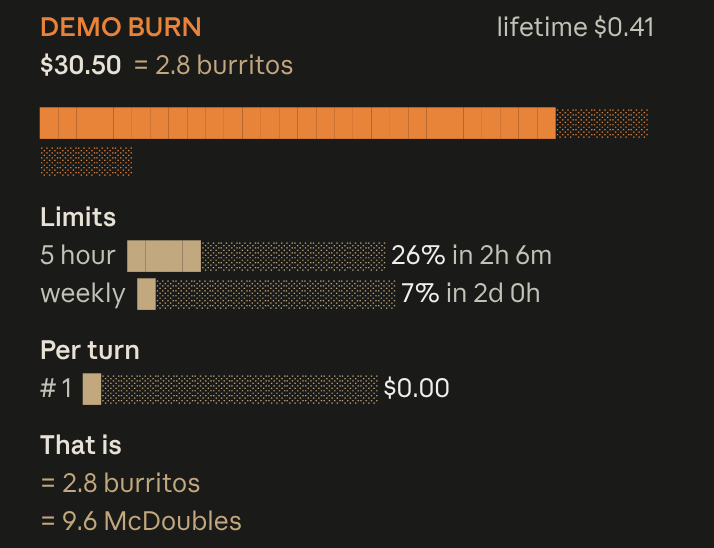
Live session cost odometer above the prompt: a burning fuse, real-world comparisons, threshold alerts
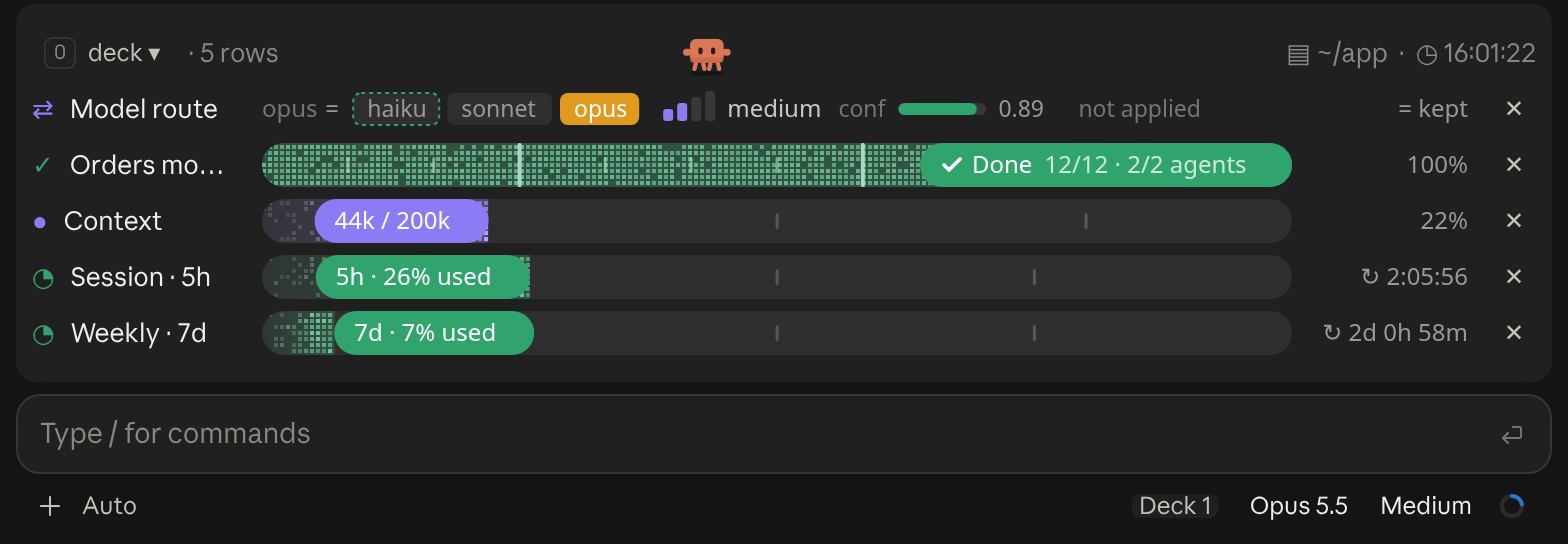
A cockpit for Claude Code: plan bars and subagent strips, context, usage limits with reset countdowns and burn rates, spend, the model route and a pet. Six bar styles, three collapsed looks. CLI and Desktop.
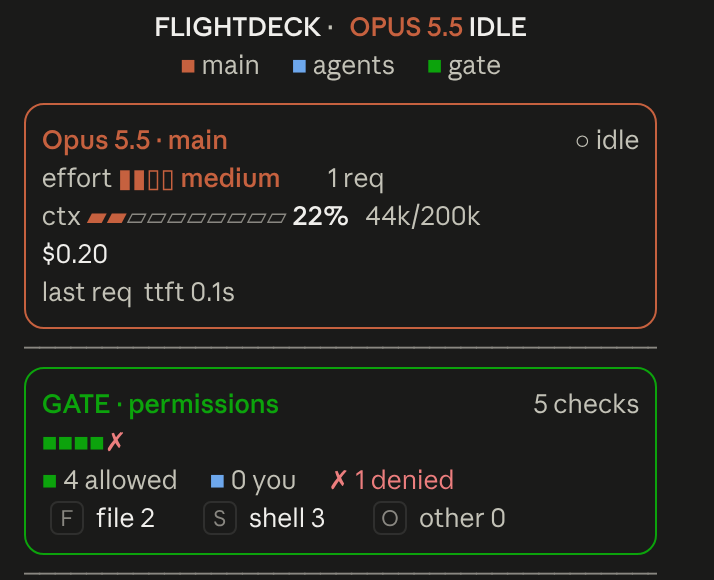
Flightdeck: a live agent dashboard for Claude Code. Main model vitals, an on-call architect, every permission check, subagent cards and swimlanes, a turn receipt and a session log, all from real session events
                                 ▀▄   ▄▀                                                        [-]
                                ▀▀▀▀▀▀▀▀▀
                                ▀▀▀▀▀▀▀▀▀
                             ▀▄ ▄▀▀▀▀▀▀▀                                                   ▀▀▀▄▄▄
                               ▀▀▀▀▀▀▀▀                                                   ▀▀▀▀▀▀▀▀
 ctx 22%                                             [ Pet ♥ ] [ ⚙ ] [ ↻ Adventurer ] [ Hide ]
A little pixel cat that wanders above the Claude Code prompt, watches your usage limits and announces when work finishes; or switch packs for an adventurer who mines, chops trees and fights zombies
An animated pixel-art companion above your prompt that reacts to your session and your typing, with a live context meter.
Shows branch safety, context headroom, and account usage in a compact session telemetry strip
⏵⏵ auto mode on · ← for agents 5h ━━━─────── 26% ↻ 2h 7m
Your subscription usage at the bottom right of Claude Code: the 5-hour and weekly windows, taking turns, side by side or fixed on one of them.
One line above the prompt: context tokens with their weather, a bar per recent prompt, your 5-hour and 7-day limits against the time elapsed, the prompt cache with its time left, the session cost with the last prompt's share in dollars and in points of the 5-hour limit, the subagents running, and a one-click pill for the GOs Claude proposes. Labels in English, French or Russian. After Token Weather (Anthropic, Apache-2.0) and the ideas of usage-meter (HolyGrail) and prompt-cache-control (Daniel San).
A band above the prompt showing your 5-hour and 7-day limits, context window and prompt-cache hit rate, styled for the terminal and the desktop app