


Your context window as a stacked bar above the prompt, a color per category, with token counts and the compaction point. /context-bar shows or hides it.
Pin notes and a todo list above the prompt
A band above the prompt shows the notes and todo checkboxes you add with /pin. They come back when you resume the same session in the same folder.
Terminal
  ⎿  pin-memo: 메모 #1 고정
  ⎿  pin-memo: 메모 #2 고정
  ⎿  pin-memo: 메모 #3 고정
╭─────────────────────────────────────────────────────────────────────────────────────────────╮ [-]
│ 📌 핀 3 (완료 1)                                                                            │
│ 1 · Remember to run tests                                                                   │
│ [ ]                                                                                        │
│  2 Check deployment secrets                                                                 │
│ [x]                                                                                        │
│  3 Update docs                                                                              │
╰─────────────────────────────────────────────────────────────────────────────────────────────╯
Claude Desktop
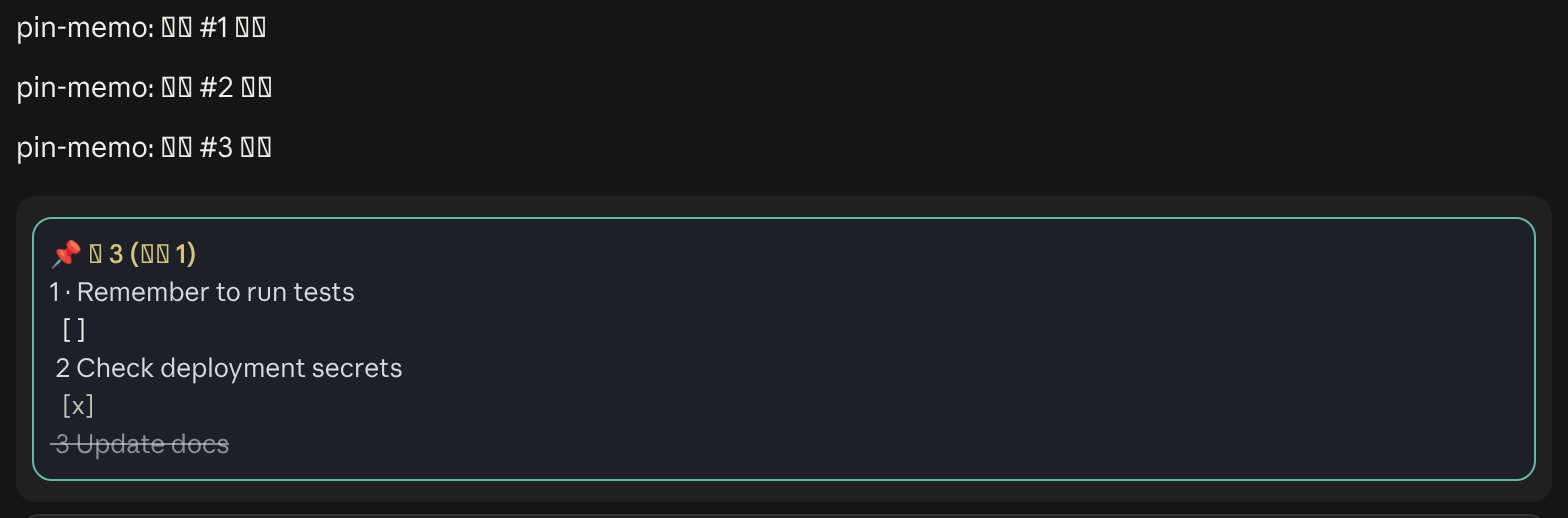
Persistent pinned memos and clickable todo checkboxes above the Claude Code prompt
With this mod, run /pin - [ ] <task> to add a todo and /pin <text> for a plain note. They show in a band above the prompt, and you tick a todo by clicking its checkbox or with /pin check <number>. /pin list shows every note in full.
They come back when you resume the same session in the same folder. A new session or /clear gets a separate, empty list. Notes live in the mod's own store and do not expire.
Not on its own. The README says notes do not enter the model's context automatically, so they stay reminders for you.
/pin edit <number> <text> changes one, /pin remove <number> deletes it, and /pin clear empties the list for the current session. /pin help lists every command.
Own this listing? Add it to your README. The badge shows the install count as it grows.

[](https://staging.statuslin.es/mods/pin-memo?utm_source=readme-badge)
Or show the preview card:
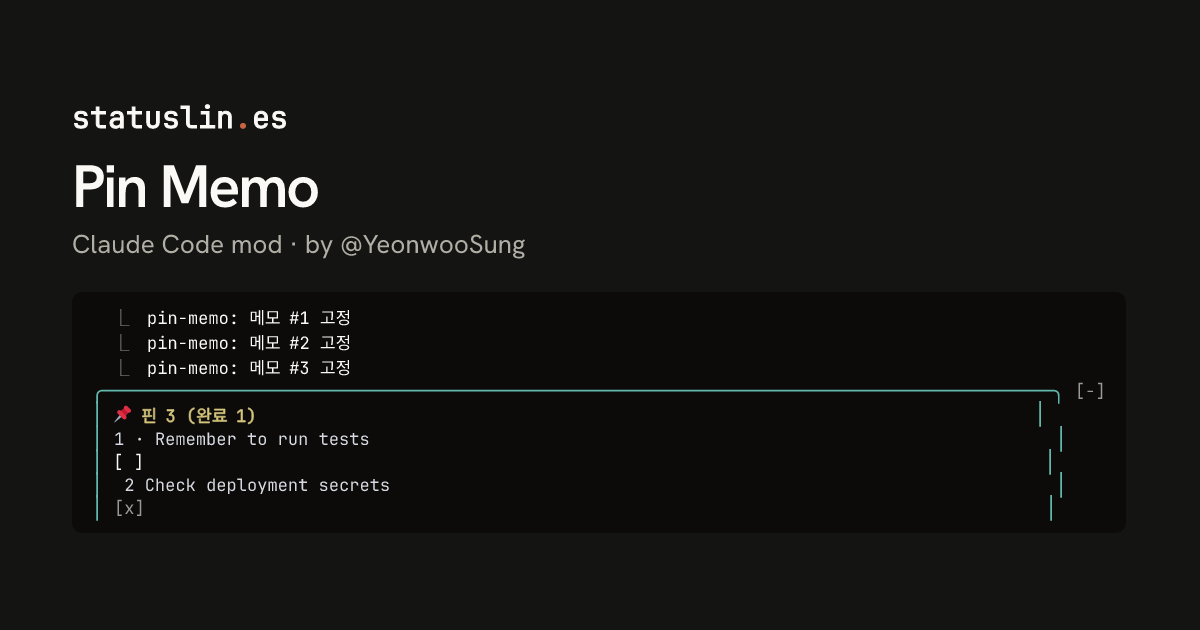
[](https://staging.statuslin.es/mods/pin-memo?utm_source=readme-badge)
Your context window as a stacked bar above the prompt, a color per category, with token counts and the compaction point. /context-bar shows or hides it.

Ambient scenes above the prompt that move with your agent's work: a fire, bubbles, surf, ski, rockets, a hot-air balloon and more, by day or night. /flow to control it.
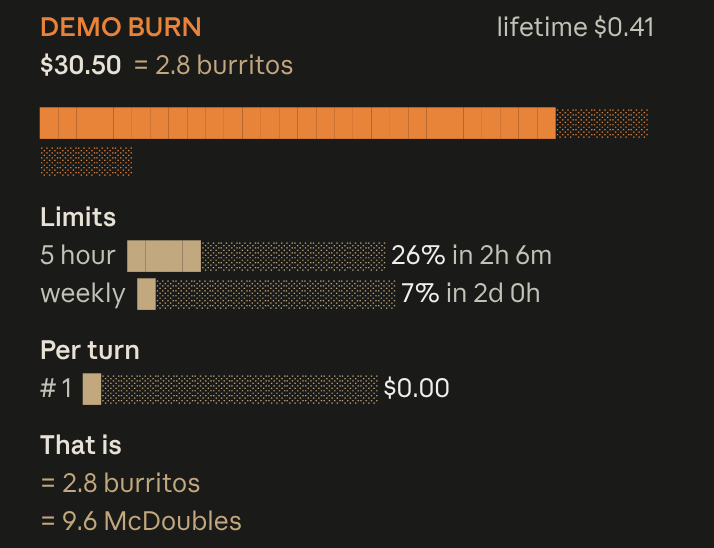
Live session cost odometer above the prompt: a burning fuse, real-world comparisons, threshold alerts
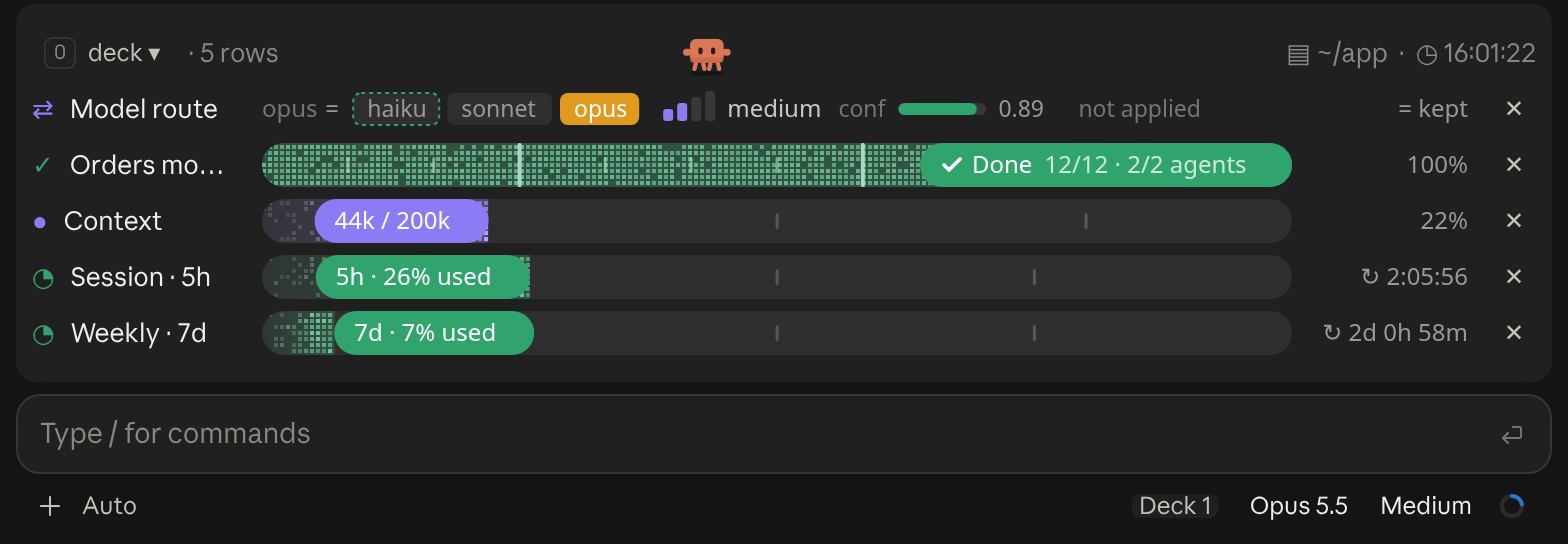
A cockpit for Claude Code: plan bars and subagent strips, context, usage limits with reset countdowns and burn rates, spend, the model route and a pet. Six bar styles, three collapsed looks. CLI and Desktop.
  Opus 4.8 high ✦ │ ctx 22% │ app (main) │ PR #1287 ● │ $0.41 · 10m +128 -34
  Session ● ● ● ● ● ● ● ● ○ ○ ○  74% left  Resets in 2h 6m
  Weekly  ● ● ● ● ● ● ● ● ● ● ○  93% left  Resets in 2d 0h
Feature-rich bash status line with model, context bar, session cost (read live from Claude Code, so it stays correct on any model), rate-limit bars, and live tool/agent activity that adapts to terminal width. Source: github.com/JungHoonGhae/claude-statusline
  ✧ ███████████▋     73%  🗝  Ultima Weapon  ✦ app ∙ main
  ♥ ████████████████████████ 100% 「SAVE POINT」  ✶ Limit Form  ◉ 41
Claude Code plan-usage HP bar that reads the Claude auth token to show remaining usage.
🤖 Opus 4.8 [200K] │ 🎯 high │ 📁 app │ 🌿 main
📅 07/07/26 Tue │ ⏰ 22:59:15 │ ₿$63k │ ☀️ +90°F
Ctx: ● ▓▓░░░░ 33% [66K/200K] │ ⏱ 10m │ 🔧 2.1.155
A three-line bar that mixes coding metrics with ambient real-world data: model, context and git on top; date, time, live weather from wttr.in and the Bitcoin price from Coinbase in the middle; a context bar with real token counts, session cost and Claude Code version below.
Opus 4.8 │ ✍️ 78% │ app (main) │ +128/-34

Cost    $0.4100
Tokens  in 44.0k │ cache write 5000 │ cache read 2000 │ out 1.4k
Compact status line showing model, context remaining %, directory/git, session time and lines changed, with rate-limit bars or a cost/token breakdown. Source: github.com/susomejias/claude-statusline


