


Your context window as a stacked bar above the prompt, a color per category, with token counts and the compaction point. /context-bar shows or hides it.
Terminal
  ⎿  flow-scenes: holding 10/10 — /flow auto to follow the work again
     just this session · /flow save makes it your default for new sessions
░   ⡄ ░ ⠠ ⠠▒    ⡀ ⠐⠠⠈  ⡀          ⠠          ░  ▒ ▒ ░ ⠃  ⠂⠠ ⠁▒░⠈  ▒ ▒⠈                    ⠂     [-]
▒▓ ▒ ▒▒ ▒▒▒▒▓▒▒▒▒▒ ▒▒▒▒ ░  ▒  ▒▓▒ ▒▒░▓ ▒░▒▓▒▓ ▒▓▓▓▒▒▒▒▒▒▒▒▒▒░▒▒▒▒▒▒▒▒▒░⢀▒▒▓▒▓▓ ░░▒░▒ ░▓░  ▒ ▒▒▒
▒ ▓▒▒▒▒▓▓▒▒▒▒▓▒▒▒▒▓▒▒▒▒▒▒▒▒▒▒▒▒▒▓▒▒▒▒▒▓░▒▓▓▓▒▒▒▓▓▒▒▓▒▒▓▒▓▒▓▒▓▓▒▒▒▒▓▒▒▒▒▒▓▒▒▓▓▓▒░▒▒░▒░▒▒▒░▒▒▒▒▓▒
▓▒▓▓▓▓▓▓▓▓▒▒▓▒█▓▒▓▓▓▒▒▒▒▒▓▒▒▒▒▓▓▒▒▓▓▓▓▓▓▒▓▒▓▒▒▒▓▓▓▓▒▓▓▒▒▓▓▓▓█▓▓▓▓▓▓▓▓▓▓▒▓▓▓▓▒▒▓▓▓▒▒▓▒▓▒▒▓▒▓▒▓▒▒
▓▓▓▓▓█▓▓█▓█▓▓▓█▓▓▓▓▓▓▓▓▓▓▓▓▓▓▓▓▓▓▓▓▓▓▓▓▓▓▓▓▓▓▓▓▓▓▓▓▓▓▓▓▓▓▓▓█▓██▓▓▓▓▓▓▓▓█▓▓█▓▓▓██▓▓▓▓▓▓▓▓▒▓▓▓▓▓▓
Claude Desktop
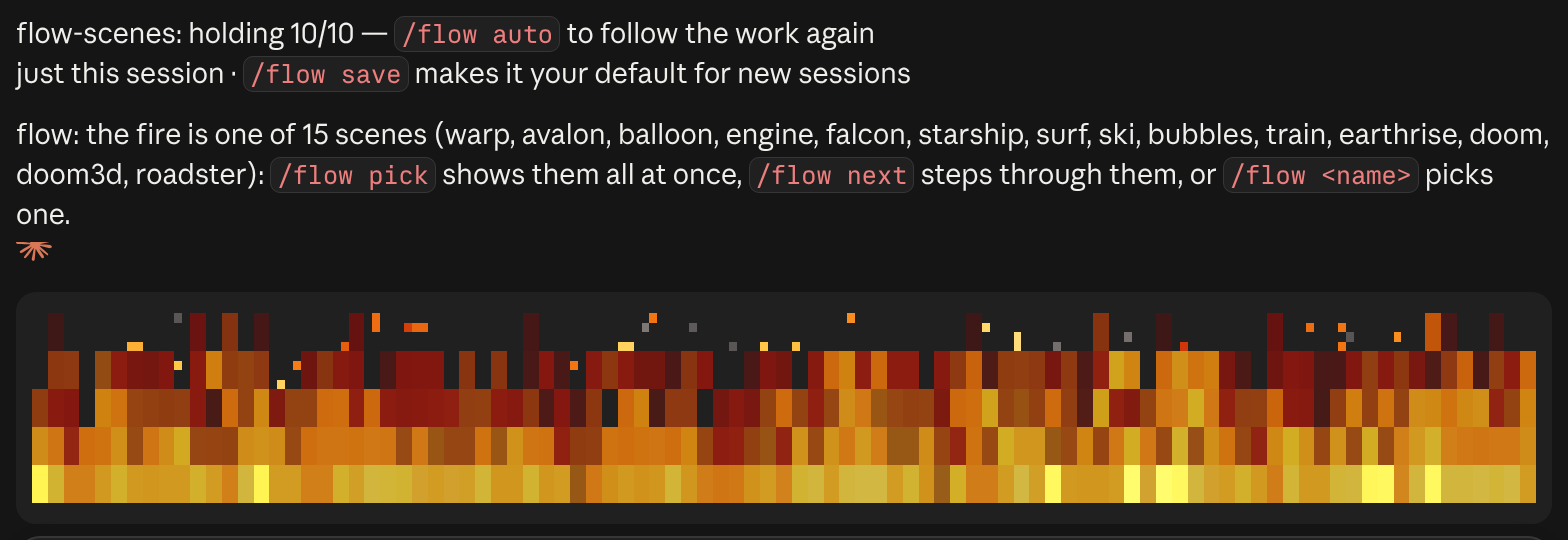
Ambient scenes above the prompt that move with your agent's work: a fire, bubbles, surf, ski, rockets, a hot-air balloon and more, by day or night. /flow to control it.
Flow's scene rises with the work. A plain answer sits around level 5, edit-and-test loops reach about 8, and 10 takes several subagents editing in parallel or a long turn. In many scenes each running subagent also gets a companion of its own, such as a small fire or a second surfer.
fire, warp, avalon, balloon, engine, falcon, starship, surf, ski, bubbles, train, earthrise, doom, doom3d and roadster. /flow pick shows them all live so you can choose, and several have a night version that follows your local clock.
Run claude --debug and look for the line about hooks modules. It may say mods aren't turned on for your account yet, that an earlier session saved them off, that you're on Bedrock, Vertex or a custom ANTHROPIC_BASE_URL, or that the folder's trust prompt hasn't been accepted.
Yes. /flow 1 to /flow 10 holds a fixed level, /flow off switches it off, and /flow auto goes back to following the work.
Own this listing? Add it to your README. The badge shows the install count as it grows.

[](https://staging.statuslin.es/mods/flow-scenes?utm_source=readme-badge)
Or show the preview card:
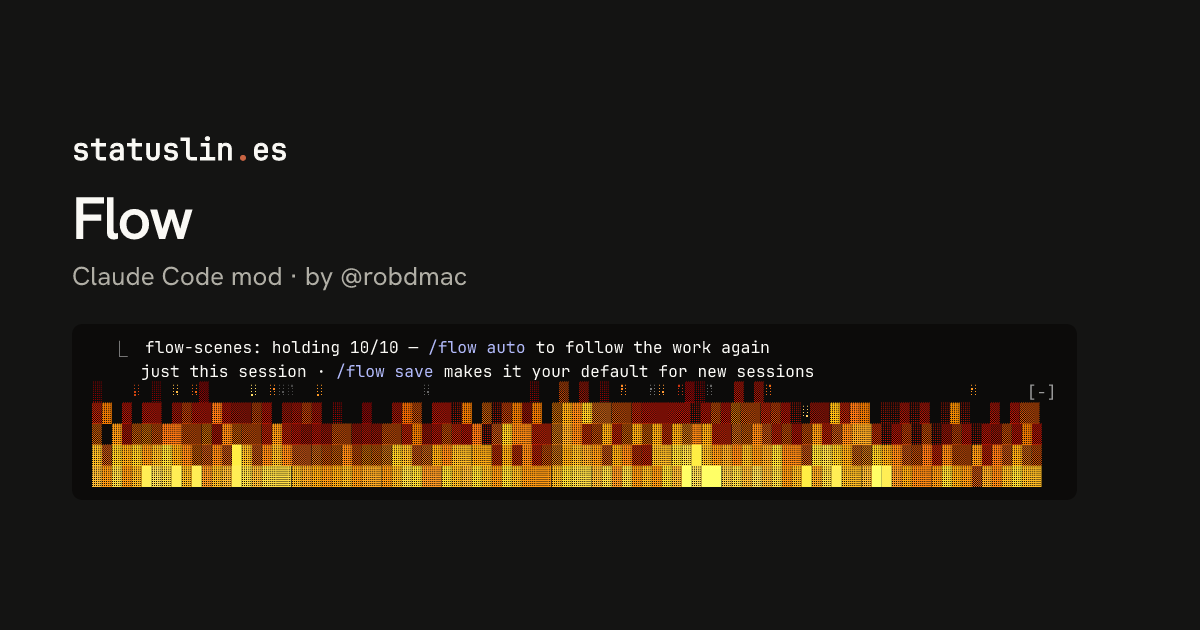
[](https://staging.statuslin.es/mods/flow-scenes?utm_source=readme-badge)
Your context window as a stacked bar above the prompt, a color per category, with token counts and the compaction point. /context-bar shows or hides it.
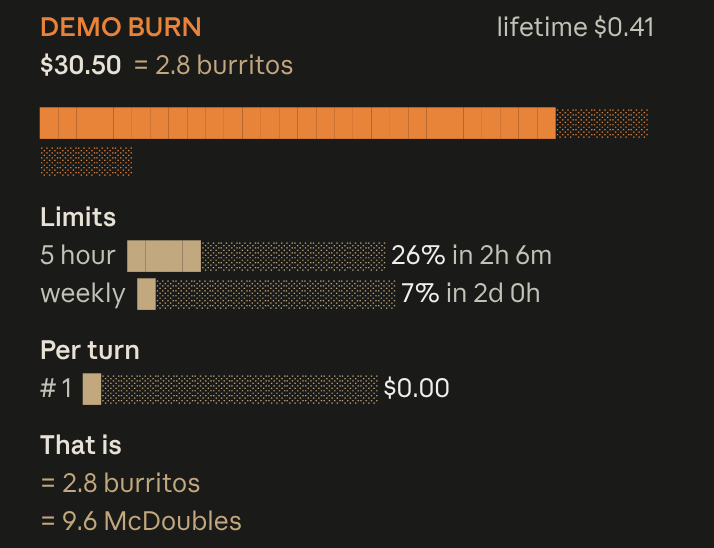
Live session cost odometer above the prompt: a burning fuse, real-world comparisons, threshold alerts
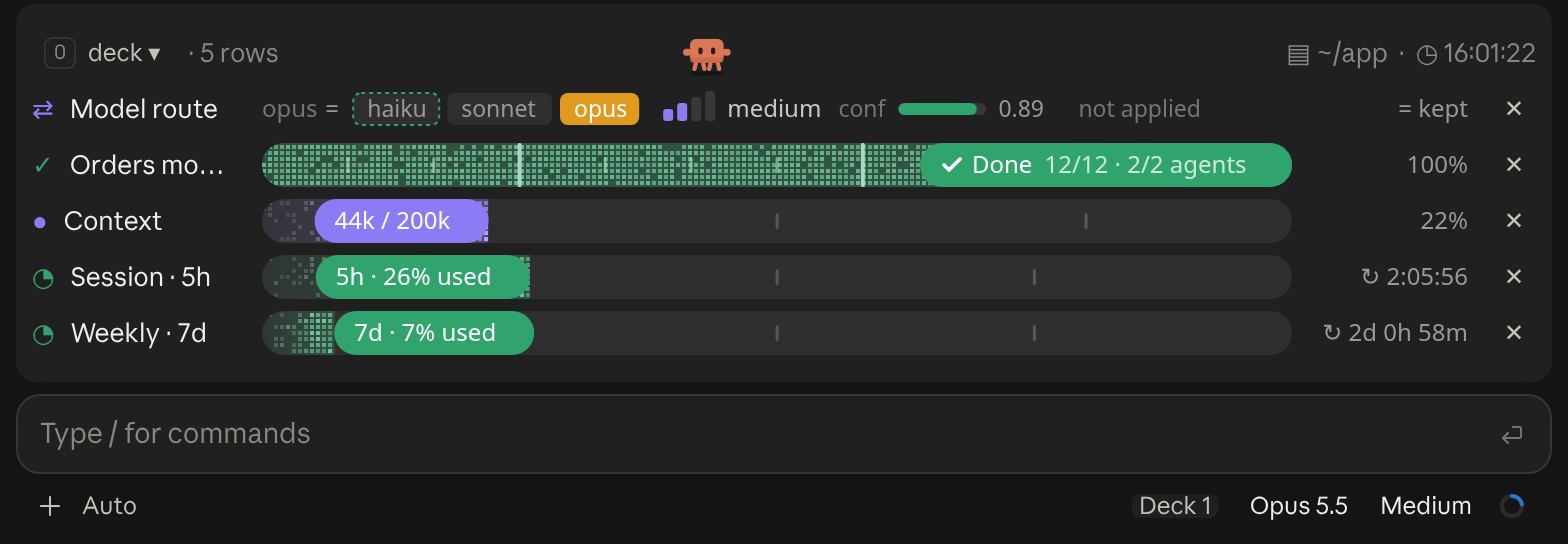
A cockpit for Claude Code: plan bars and subagent strips, context, usage limits with reset countdowns and burn rates, spend, the model route and a pet. Six bar styles, three collapsed looks. CLI and Desktop.
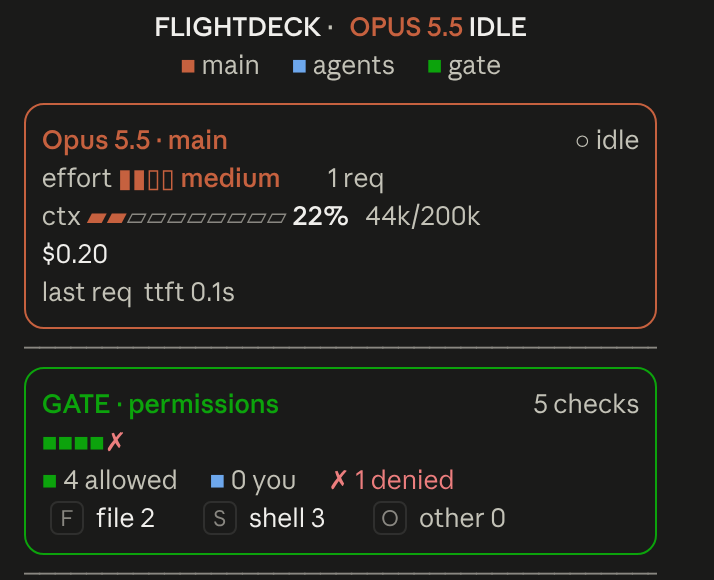
Flightdeck: a live agent dashboard for Claude Code. Main model vitals, an on-call architect, every permission check, subagent cards and swimlanes, a turn receipt and a session log, all from real session events
  Opus 4.8 high ✦ │ ctx 22% │ app (main) │ PR #1287 ● │ $0.41 · 10m +128 -34
  Session ● ● ● ● ● ● ● ● ○ ○ ○  74% left  Resets in 2h 6m
  Weekly  ● ● ● ● ● ● ● ● ● ● ○  93% left  Resets in 2d 0h
Feature-rich bash status line with model, context bar, session cost (read live from Claude Code, so it stays correct on any model), rate-limit bars, and live tool/agent activity that adapts to terminal width. Source: github.com/JungHoonGhae/claude-statusline
  ✧ ███████████▋     73%  🗝  Ultima Weapon  ✦ app ∙ main
  ♥ ████████████████████████ 100% 「SAVE POINT」  ✶ Limit Form  ◉ 41
Claude Code plan-usage HP bar that reads the Claude auth token to show remaining usage.
🤖 Opus 4.8 [200K] │ 🎯 high │ 📁 app │ 🌿 main
📅 07/07/26 Tue │ ⏰ 22:59:15 │ ₿$63k │ ☀️ +90°F
Ctx: ● ▓▓░░░░ 33% [66K/200K] │ ⏱ 10m │ 🔧 2.1.155
A three-line bar that mixes coding metrics with ambient real-world data: model, context and git on top; date, time, live weather from wttr.in and the Bitcoin price from Coinbase in the middle; a context bar with real token counts, session cost and Claude Code version below.
Opus 4.8 │ ✍️ 78% │ app (main) │ +128/-34

Cost    $0.4100
Tokens  in 44.0k │ cache write 5000 │ cache read 2000 │ out 1.4k
Compact status line showing model, context remaining %, directory/git, session time and lines changed, with rate-limit bars or a cost/token breakdown. Source: github.com/susomejias/claude-statusline


