


Your context window as a stacked bar above the prompt, a color per category, with token counts and the compaction point. /context-bar shows or hides it.
Disk space and context warnings in Claude Code
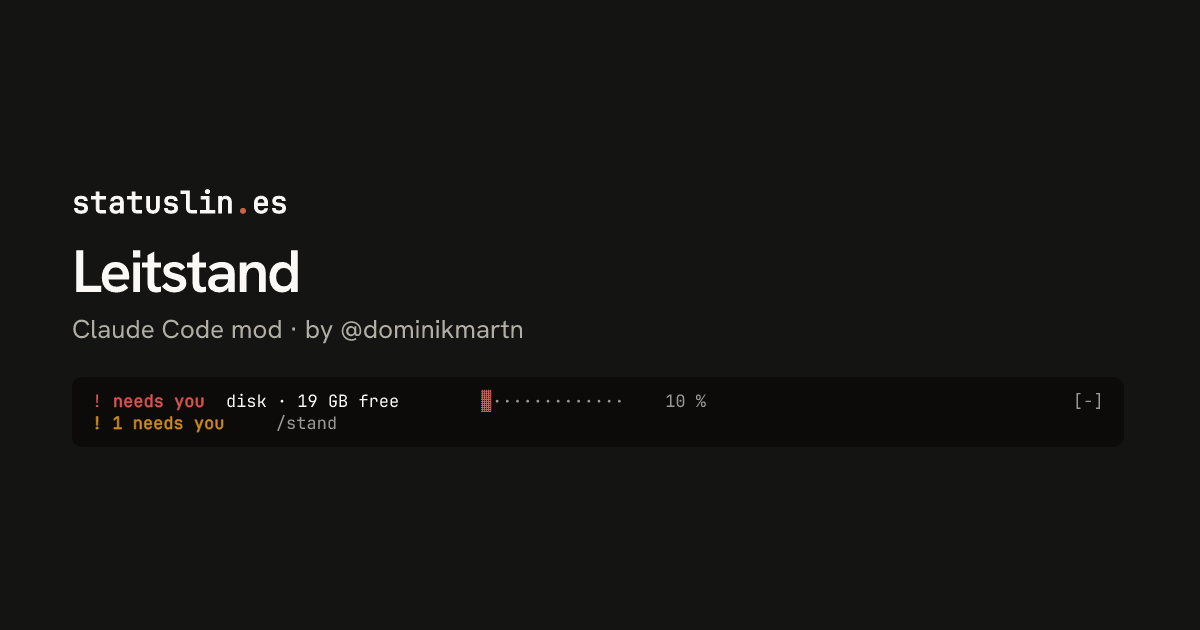
A strip above the prompt that warns when disk space runs low, when context passes 250k tokens, or when one of your hooks blocks a tool call.
Terminal
! needs you  disk · 19 GB free        ▓·············    10 %                                    [-]
! 1 needs you     /stand
Claude Desktop

A control room above your prompt: background agents and shells, disk space and context at a glance. Two themes, loud and quiet. /stand toggles the list.
Leitstand runs df every 5 minutes and shows free space as a row above the prompt, with a bar and the percent used. It warns at 35 GB free and turns red at 20 GB. Type /stand to open the list any time.
From 250k tokens used, the context row turns yellow and says compact as a reminder to run /compact. Leitstand never compacts by itself.
Yes. When one of your hooks blocks a tool call, Leitstand shows the hook's name and its reason above the prompt until your next prompt.
Set LEITSTAND_THEME=quiet in your shell, or in the env block of ~/.claude/settings.json, and start a new session. The quiet theme has thin bars and no footer, and shows the disk only when it runs low.
Own this listing? Add it to your README. The badge shows the install count as it grows.

[](https://staging.statuslin.es/mods/leitstand?utm_source=readme-badge)
Or show the preview card:
[](https://staging.statuslin.es/mods/leitstand?utm_source=readme-badge)
Your context window as a stacked bar above the prompt, a color per category, with token counts and the compaction point. /context-bar shows or hides it.
  ⎿  cache-tax: keepwarm on for 6h00m, a ping 50m after each idle stretch keeps the cache read, not
     re-written
  ⎿  cache-tax: claude-opus-5-5
     state       warm, 1h00m left
     context     44,000 tokens
     cold cost   $0.35 to re-write it (warm turn $0.01)
     keepwarm    on, 6h00m left · ping in 50m
     break-even  up to 40 pings at the read rate cost one cold write, about 33h20m of idle at one
     ping per 50m
     guard       ask first (/cache-tax guard warn to only show the price)
     session     0 cold writes paid, $0.00
[>] cache-tax · warm · keepwarm 6h00m left · ping in 50m                                        [-]
A Claude Code mod that keeps the one-hour prompt cache warm during breaks and asks before a cold send, showing its estimated rewrite cost. Warming uses model requests and costs tokens. Requires Claude Code 2.1.287+.
  ⎿  context-inspector: Context Inspector pane opened (shown in the terminal and the desktop app).
╭────────────────────────────────────────────────────────────────────────────────────────────────✕─╮
│ Context Inspector — main context                                                                 │
│ Live ≈3.0k tokens in 12 items · 1 turn(s) · 0 compaction(s) · waste ≈0                           │
│ ≈ = estimate (chars/4 × k=1.00, 0 calibration segment(s)); figures without ≈ are measured or en… │
│                                                                                                  │
│ Top occupants (live, by category)                                                                │
│   attachment:skill_listing     ≈1.5k    50%  █████░░░░░  1 item(s)                               │
│   attachment:agent_listing_de… ≈685     23%  ██░░░░░░░░  1 item(s)                               │
│   attachment:environment       ≈180     6%   █░░░░░░░░░  1 item(s)                               │
╰──────────────────────────────────────────────────────────────────────────────────────────────────╯
  ⚠ context-inspector: ctx 22% · waste≈0
Context waste analyzer for Claude Code: what fills the window, re-reads, near-duplicate outputs, what compaction kept, advice

The session's context window fill, right above the prompt: gray while there is room, yellow when it is time to /compact, red when a new session is better.
Opus 4.8 ▓▓░░░░░░░░ 22%Model plus a 10-block context-usage bar. Example statusline inspired by the Claude Code docs (code.claude.com/docs/en/statusline).
  Opus 4.8 high ✦ │ ctx 22% │ app (main) │ PR #1287 ● │ $0.41 · 10m +128 -34
  Session ● ● ● ● ● ● ● ● ○ ○ ○  74% left  Resets in 2h 6m
  Weekly  ● ● ● ● ● ● ● ● ● ● ○  93% left  Resets in 2d 0h
Feature-rich bash status line with model, context bar, session cost (read live from Claude Code, so it stays correct on any model), rate-limit bars, and live tool/agent activity that adapts to terminal width. Source: github.com/JungHoonGhae/claude-statusline
  ✧ ███████████▋     73%  🗝  Ultima Weapon  ✦ app ∙ main
  ♥ ████████████████████████ 100% 「SAVE POINT」  ✶ Limit Form  ◉ 41
Claude Code plan-usage HP bar that reads the Claude auth token to show remaining usage.
Opus 4.8 │ main │ app │ ▓▓░░░░░░░░ 44k/200k │ $0.41
Catppuccin Frappé–themed status line with model, git branch and dirty flag, folder, a block context bar, and session cost. Source: github.com/danjdewhurst/cc-status-line


