Reflect
Turn your corrections into CLAUDE.md rules

Spots corrections you type, like "use pnpm, not npm", and offers to save each one as a rule in CLAUDE.md from a band above the prompt.
What this mod can do
- Reviewed at commit b6c4232
- Writes files
- Sends its own requests to Claude, which uses your tokens
- Puts text in your prompt box, which can replace what you typed
- Changes the system prompt
- Reads environment variables
- Sees each prompt you send and can change or drop it
7 more things it can do
- Reads files
- Reads the conversation
- Reads your prompt as you type
- Remembers data between sessions
- Adds the /reflect-pause command
- Adds the /reflect-queue command
- Runs on a timer
Good to know (3)
- Each eligible prompt costs one small haiku call, which counts toward your Claude usage.
- Use it or the Python claude-reflect plugin, not both, or every correction is captured twice.
- Two sessions saving to the same CLAUDE.md in the same instant can lose one of the bullets.
Preview
Terminal
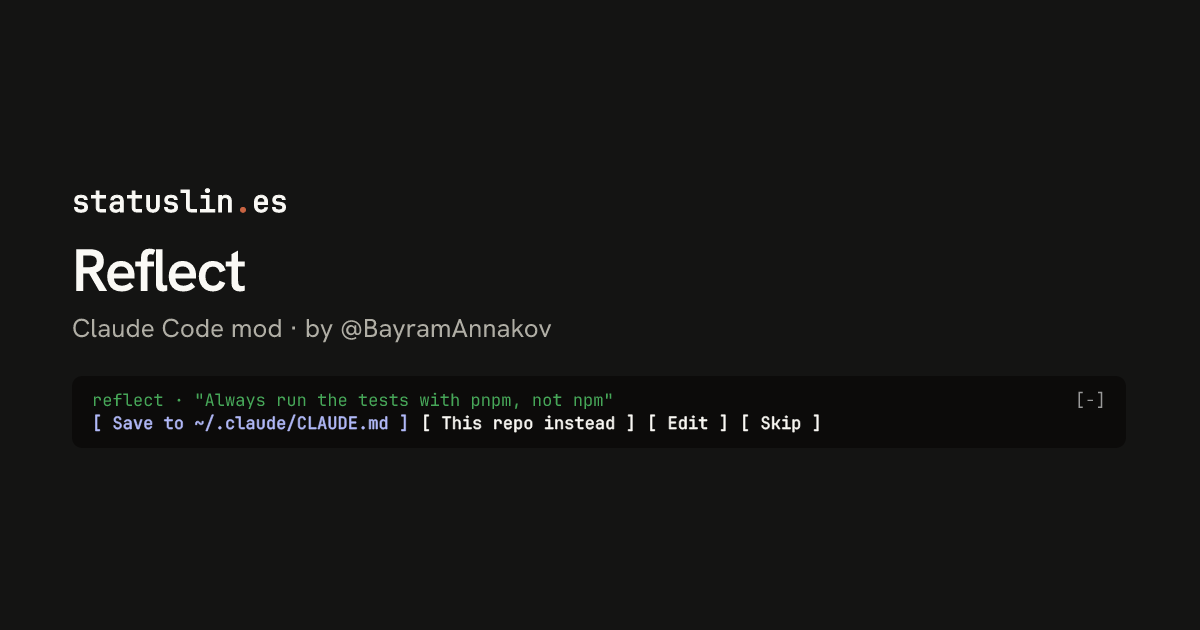
reflect · "Always run the tests with pnpm, not npm"                                             [-]
[ Save to ~/.claude/CLAUDE.md ] [ This repo instead ] [ Edit ] [ Skip ]
Claude Desktop

What it does
In the author's words
claude-reflect as a Claude Code mod: a model check on each short prompt finds reusable corrections (any language); a band above the prompt saves them to CLAUDE.md on one press
- What you see
- A band above the prompt for each rule it finds
- Works in
- Terminal and Claude Desktop
- Slash commands
- /reflect-pause, /reflect-queue
- Uses your tokens
- One haiku check per short prompt you send
- Changes files
- CLAUDE.md, only when you press Save
- Network access
- None
- Reviewed commit
- b6c4232
- Preview recorded with
- Claude Code 2.1.309
How it works
- Each short prompt you send (500 characters or less) is queued for a check
- A timer asks haiku if your prompt and Claude's last reply hold a reusable rule
- A found rule shows above the prompt with Save, Edit and Skip buttons
- Save adds a bullet to a marked section of ./CLAUDE.md or ~/.claude/CLAUDE.md
Common questions
How do I stop repeating the same corrections to Claude Code?
Reflect checks each short prompt you send for a correction that could be a lasting rule. When it finds one, a band above the prompt lets you save it to CLAUDE.md with one press. The saved rule also goes into the current session's system prompt while you stay in that project.
Does Reflect use my Claude tokens?
Yes. Each eligible prompt gets one small haiku call on the session's own client, which counts toward your Claude usage like any request. It skips slash commands, acknowledgements such as "ok", prompts over 500 characters and anything that looks like a credential.
Where does Reflect save the rules?
To ./CLAUDE.md for the repo or ~/.claude/CLAUDE.md for every project, as bullets inside one marked "Learned rules" section. It re-reads the file just before writing and doesn't add a rule that's already there. Rules waiting for your decision sit in a JSON file under your Claude Code config directory.
How do I pause Reflect or see what it found?
/reflect-pause stops and resumes checking. /reflect-queue lists the rules it found in this project and globally.
Badge for your README
Own this listing? Add it to your README. The badge shows the install count as it grows.

[](https://staging.statuslin.es/mods/reflect-mod?utm_source=readme-badge)
Or show the preview card:
[](https://staging.statuslin.es/mods/reflect-mod?utm_source=readme-badge)